Device maps
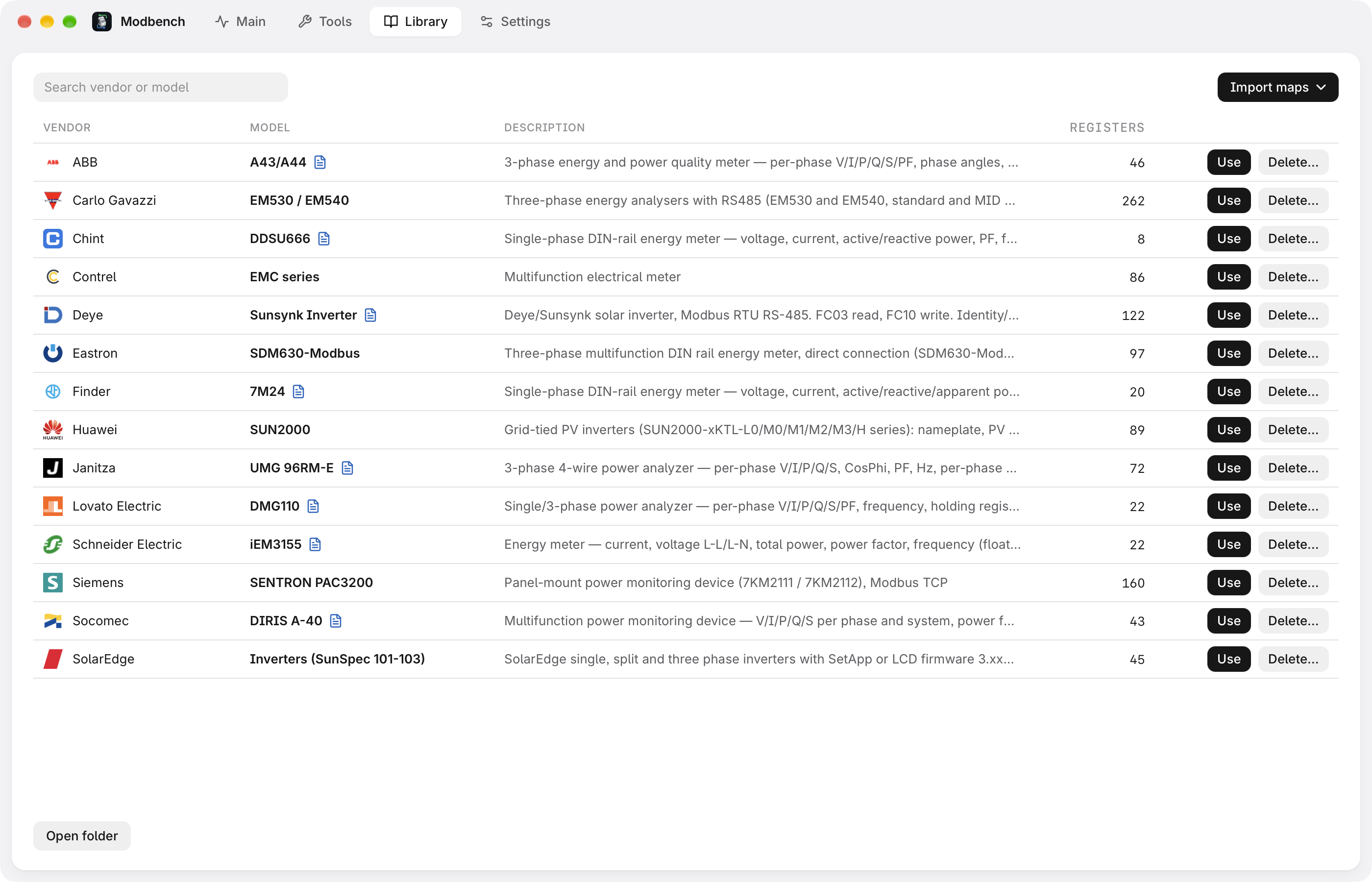
Open a .mbmap.json and read every register by name,
with types, byte order, scaling, units and labels. Over 400 shared
maps in the online library.
 Modbench
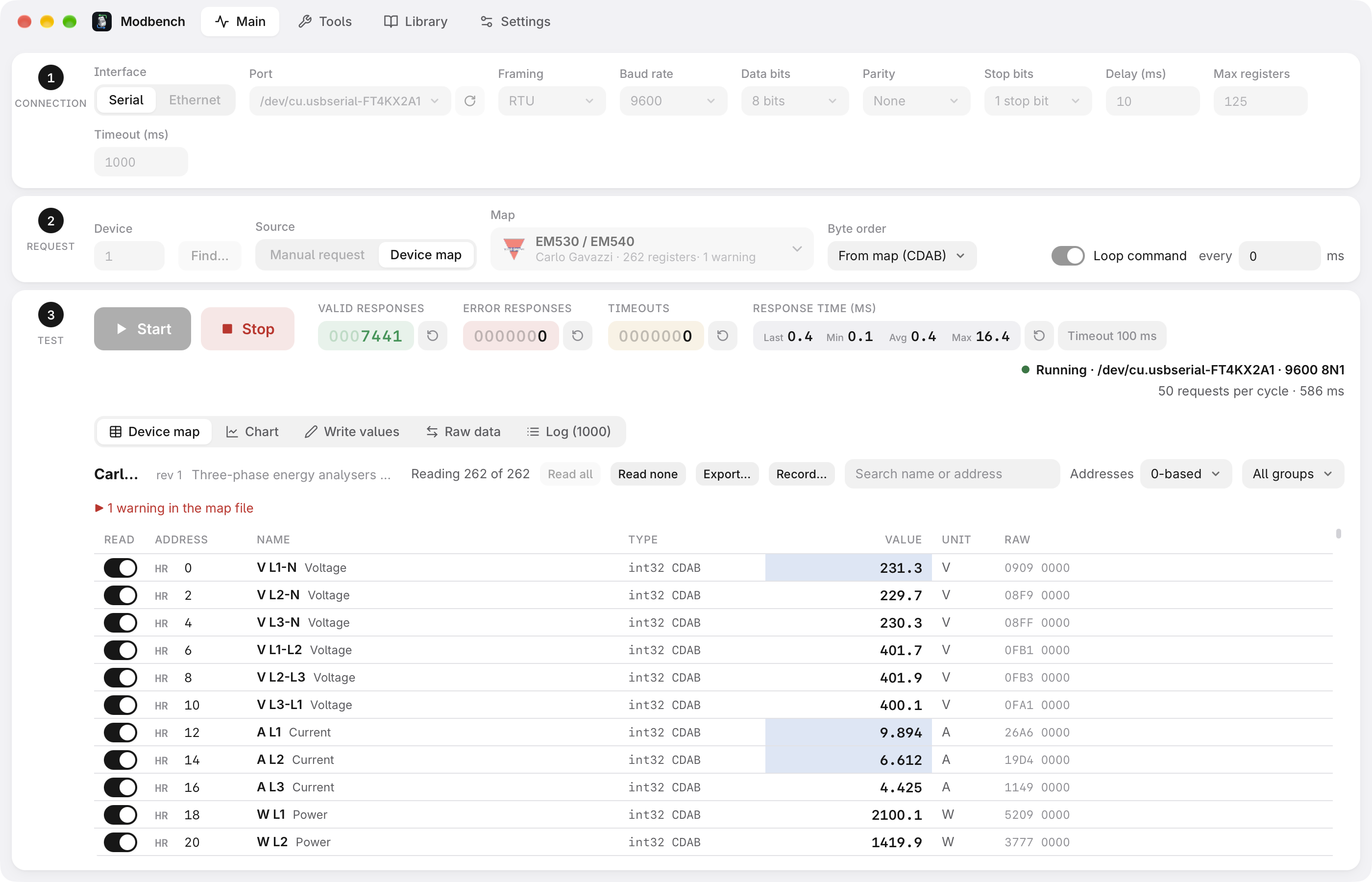
A Modbus TCP and RTU client to test, map and simulate devices. Read any address by hand, or open a device map and see every register by name, scaled, with units and labels.
Features
Open a .mbmap.json and read every register by name,
with types, byte order, scaling, units and labels. Over 400 shared
maps in the online library.
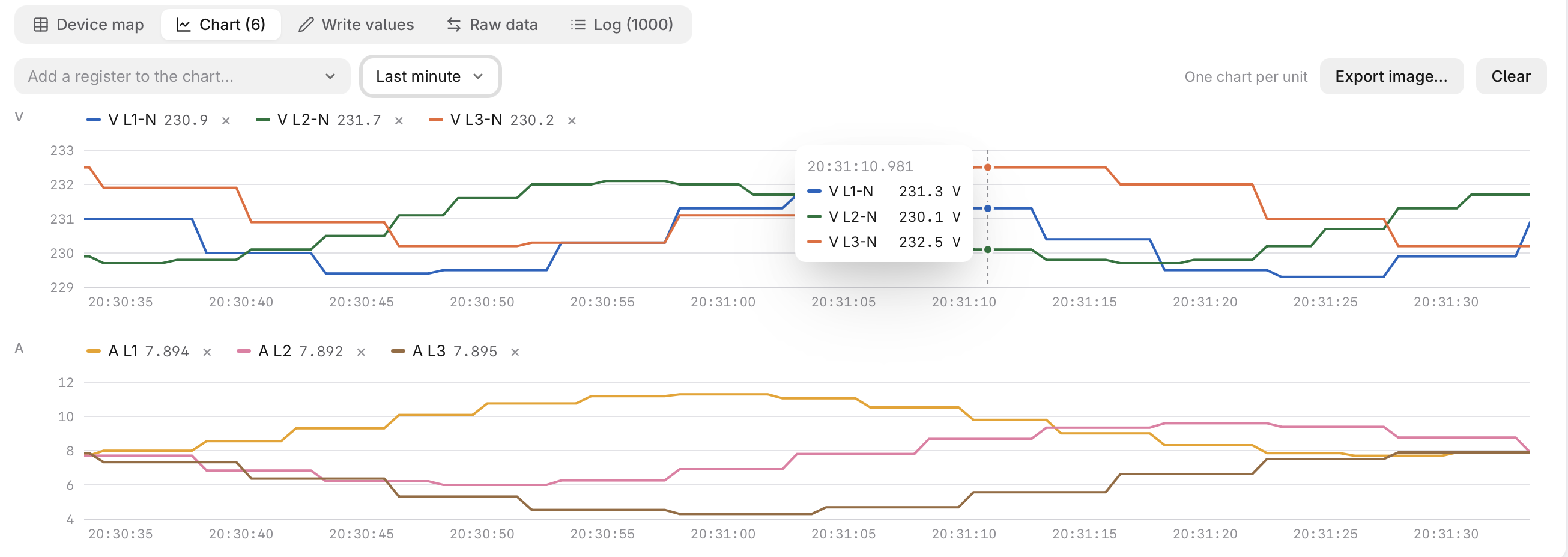
Plot values over time, see the exact bytes of each request and answer, and record every cycle to CSV.
Devices shaped after a map, on TCP, UDP or a serial port, with values that move on their own. Try maps and programs without hardware.
Scan for unit IDs, for the baud rate and parity of a serial device, and for the addresses a device answers.
Registers as every type in all four byte orders, and frames field by field with CRC and LRC checks.
Typed controls, limits from the map, optional confirmation, and a read-only mode for a plant in operation.
Download
.exe or
.msi.
.AppImage or .deb, or install with
APT below.
Install with APT (Debian, Ubuntu, Raspberry Pi OS;
amd64 and arm64); updates then come with
apt upgrade:
curl -fsSL https://nobrega8.github.io/modbench/key.asc | sudo gpg --dearmor -o /usr/share/keyrings/modbench.gpg
echo "deb [signed-by=/usr/share/keyrings/modbench.gpg] https://nobrega8.github.io/modbench stable main" | sudo tee /etc/apt/sources.list.d/modbench.list
sudo apt update && sudo apt install modbench